How to ensure the deployment of skills mapping in large companies?


.png)
According to the Dell and Future Institute report, around 85% of the jobs of 2030 have not yet been created. Human resources have a major challenge over the years to come: identify and update the skills of employees within the company, in order to ensure the evolution of jobs and the mobility of teams. However, deploying a skills management tool within a large company seems tedious. Indeed, collecting skills, bringing them together and updating them regularly can be difficult as soon as the workforce exceeds 50 employees...
At Napta, we take the challenge of convincing you otherwise. Here is our 5-step program, to successfully deploy a skills map in large companies.
Overview of your needs
The construction of a skills mapping cannot be improvised. At Napta, before we start creating a custom map, we support you to establish your needs and desires.
To do this, we draw up a complete set of specifications, combined with an audit of your needs. These specifications list all the software you use to date within the company, all the data necessary for the operation of the company, etc. While the audit of your needs includes all the functionalities and options that you would like to see appear in your skills mapping software.
At Napta, this is the very first step in building a skills map, 100% in line with company processes.
Data consolidation
The second step to a successful start your skills mapping, is data consolidation. According to the study of your specifications, your company operates thanks to numerous tools (CRM, SIRH, ATS, ERP, etc.). Far from neglecting them, you must integrate all this data into your new software.
After extracting and defining data flows, you need to create your competency framework. This repository is essential in order to establish the functionalities you need. It also limits, through data extraction, input errors, double entry of information, etc.
Solution testing
This step includes the multiplication of tests by your teams, in order to verify the compatibility of the software with the specifications and the audit, as well as the ease of use (user paths, etc.). During this crucial stage, a sample of users tests skills mapping. He thus ensures that the latter responds effectively to all of their requests.
Deploying the solution
All the tests have been tested by your teams. The technical teams did their part of the work. It is time for deploy your skills map ! In order not to rush new users, testers are designated as ambassadors. They are trained by Napta's technical teams. Their main mission will be to participate in the training of the various divisions of the company in terms of management and use of the solution.
As soon as the solution is handled by the ambassadors, the tool is launched at the company level. All company employees have access to the solution.
Skills mapping evolves with the company's business!
As soon as the solution is deployed within the company, you maintain contact with Napta's technical teams. And because we know that your business is evolving, so does our software! Indeed, you have the possibility to update the competency framework within your map according to the evolution of your company. In addition, our technical services remain at your disposal if you want to add new functionalities.
.jpeg)
Client expectations in 2026: how professional services firms must rethink their value proposition
In 2026, clients of IT services firms and consulting firms expect greater impact, transparency and trust. Discover the key insights from the Napta study on evolving client expectations.

Why upskilling is critical for IT services companies in 2025: building future-ready workforces
Learn why upskilling is a strategic priority for IT services firms in 2025. Stay ahead of the rapid evolution in skills demands with actionable strategies and tools like Napta.
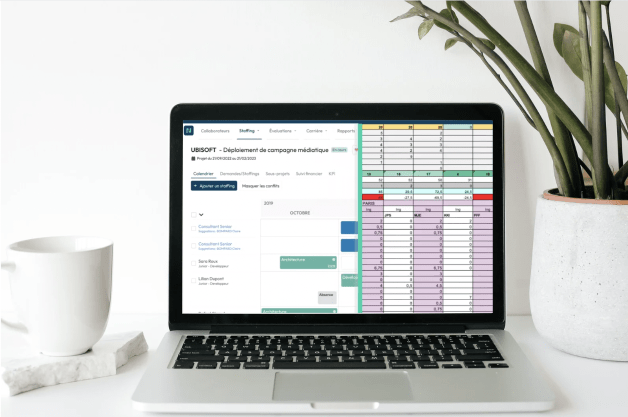
Why is Napta staffing software the best alternative to your Excel files?
Why choose Napta staffing software over Excel? If you thought that the latter was a good alternative, it is high time to change it!
Explore more resources




Turn resource management into the best business outcomes
A 100% free and no-commitment meeting to understand what Napta can help you with.